For years, instructional designers and eLearning developers have worked within the limitations of traditional video formats. While video brought movement, demonstrations, and visual storytelling into courses, it generally came with one unavoidable constraint: a rectangular frame.
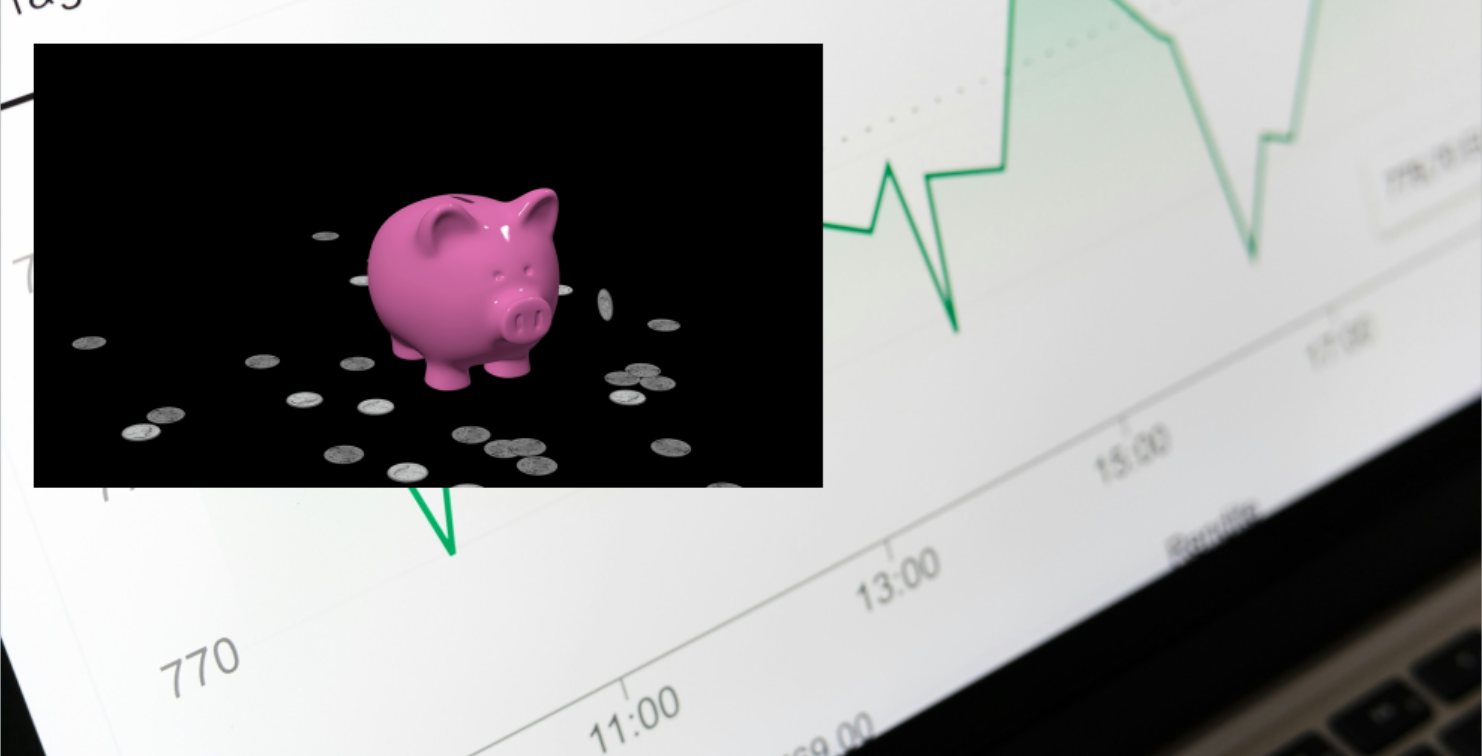

Even sophisticated animations created in Adobe After Effects or professional 3D applications were confined to a visible video background. Integrating those animations naturally with other course elements often required workarounds, careful background matching, or complex development techniques. The introduction of native WebM support in Articulate Storyline 360 changes that. With alpha-channel transparency, professionally produced animations can now appear directly on a slide without an opaque rectangular background.
Animated characters can move alongside text, 3D objects can rotate over instructional diagrams, and visual effects can highlight important information while the underlying course remains interactive. For instructional designers, this is much more than another supported video format. It creates opportunities to use motion as an integral part of the learning experience.
What Is WebM, and Why Does Transparency Matter?
WebM is an open multimedia container format designed for web-based video. Depending on the codec and encoding settings, WebM video can retain an alpha channel which determines which areas of an image are visible, partially transparent, or completely transparent. Consider a simple animation of a hand pointing toward a button. In a conventional MP4 video, that hand usually appears inside a rectangular video frame. With a properly encoded transparent WebM, the hand appears independently of the background.
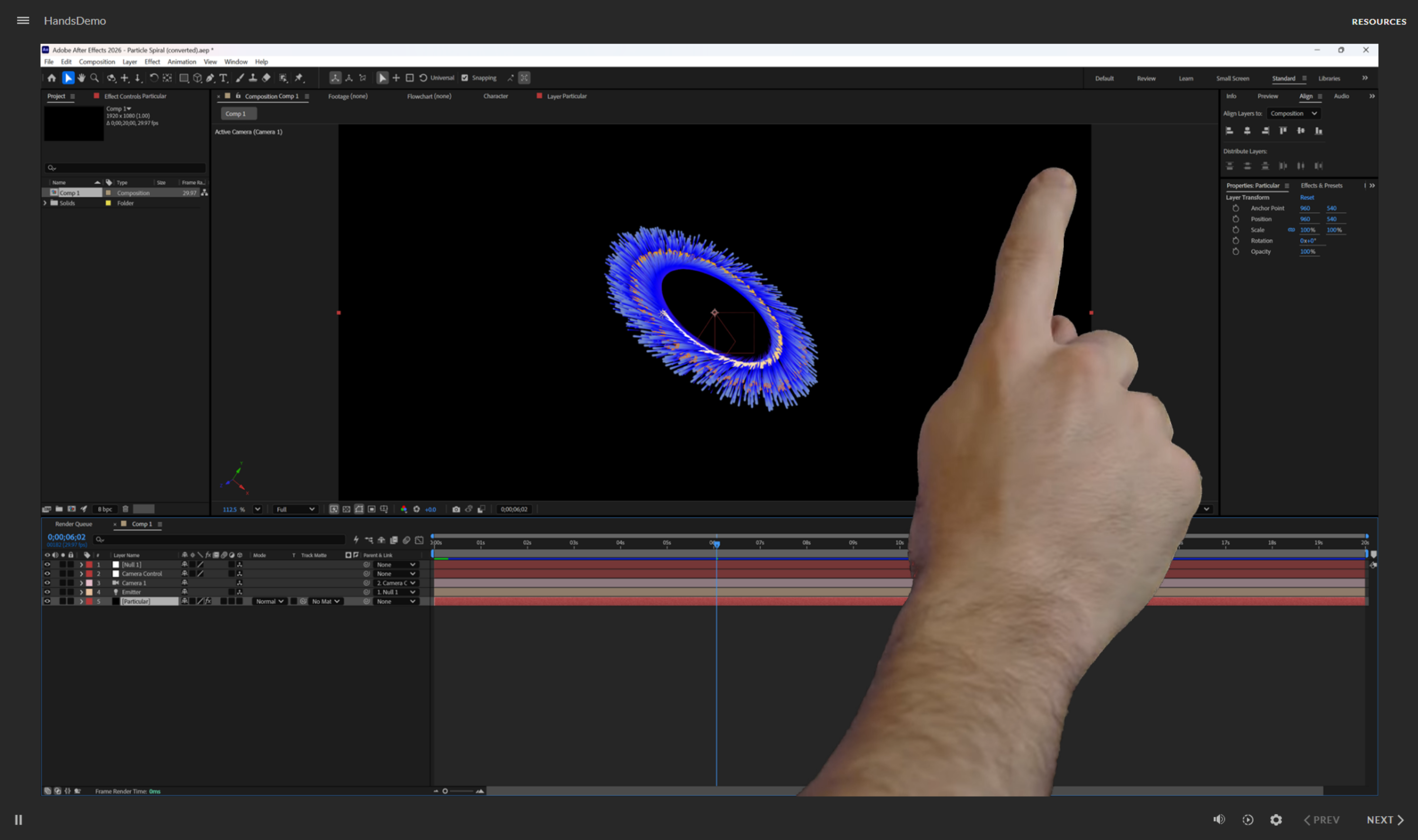
The result is an animation that visually integrates with the slide rather than appearing as a separate video window. This distinction opens possibilities for instructional design that previously required more complicated approaches.
What Can You Create with Transparent WebM?
1. Animated Characters and Virtual Instructors
Imagine an animated instructor appearing beside a technical diagram, gesturing toward a critical component, and then exiting the slide. Or a virtual employee demonstrating a workplace procedure without requiring a fully rendered video environment. Transparent WebM makes it possible to integrate these characters into existing Storyline layouts. The background, explanatory text, buttons, and navigation remain separate elements. Characters can be developed using 3D animation applications, character animation software, or traditional motion-design techniques. The important distinction is that the character becomes part of the instructional composition rather than occupying an isolated video rectangle.
2. Technical and Process Animations
Many learning objectives require explaining processes that cannot easily be photographed or demonstrated. Consider an animation showing: The movement of information through a network. Fluid traveling through a mechanical system. The sequence of components activating inside manufacturing equipment. A financial transaction moving through an approval process. A pharmaceutical product moving through a conceptual workflow. With transparent WebM, the movement can be animated independently while Storyline controls the surrounding labels, explanations, and learner interactions. This approach is particularly valuable in technical training, healthcare, manufacturing, finance, and other industries where understanding processes is essential.
3. Three-Dimensional Objects and Equipment
Professional 3D applications can produce detailed animations that explain how equipment, products, and mechanical components function. A transparent WebM animation might show a machine rotating, a component separating into an exploded view, or a medical instrument assembling step by step. Learners can examine the animation while Storyline presents explanatory text, interactive callouts, and knowledge checks. Although WebM does not provide the same free manipulation available in a real-time 3D viewer, it offers a practical way to bring sophisticated 3D visuals into conventional eLearning courses.
4. Attention and Navigation Cues
Not every animation needs to be elaborate. Sometimes a subtle visual cue can significantly improve the learning experience. An animated pointer, pulsing highlight, moving line, or directional arrow can guide attention toward a specific control or important piece of information. These visual elements are especially useful in software simulations, guided demonstrations, and complex course interfaces. The purpose is not simply to make the course more visually appealing. It is to help learners identify where to focus and what action to take next.
5. Feedback and Reinforcement
Transparent motion graphics can make learner feedback more noticeable without replacing the entire screen. For example, a correct response might trigger a brief confirmation animation, while an incorrect choice might reveal a visual warning or consequence. These animations can reinforce the relationship between an action and its outcome. Because Storyline continues to control the instructional logic, the same motion asset can be reused across different interactions, courses, and learning environments.
6. Animated Data and Information Visualization
Charts, process indicators, data streams, and progress animations can all benefit from motion. A transparent WebM can highlight a changing value, illustrate a data relationship, or show information moving through a system. The motion remains separate from the surrounding instructional content, allowing developers to combine professionally produced animation with native Storyline text and controls.
How Does WebM Work in Storyline 360?
Articulate introduced native WebM support in the December 2025 update to Storyline 360. Developers can insert WebM files directly into a course using the standard video insertion workflow. Once inserted, the video can be positioned and timed alongside other slide objects. This creates a useful division of responsibilities. Motion-design applications handle complex animation, visual effects, character movement, and 3D rendering. Storyline handles learner interaction, triggers, variables, assessments, branching, and instructional sequencing. By allowing each application to perform the tasks it handles best, developers can produce sophisticated learning experiences without recreating complex animations inside Storyline.
Important Technical Considerations
Transparent WebM offers significant creative flexibility, but there are considerations that developers need to understand, primarily browser compatibility. Alpha-channel transparency is supported in many desktop browsers, including Chrome, Edge, and Firefox. Safari and many mobile browsers do not currently display transparent WebM in the same way and may show the video's background color.
Developers should select static video quality when publishing courses that depend on WebM transparency. Adaptive video publishing can change how videos are processed and should not be assumed to preserve the intended transparent output.
Complex animations and unnecessarily high resolutions can increase file sizes and affect loading performance. Motion graphics should be designed for their intended display dimensions and optimized accordingly. Accessibility. Animation should communicate or reinforce meaning rather than create unnecessary visual distractions. Important information should remain available through appropriate text, narration, descriptions, or other accessible alternatives. Testing. Always test the published course in the browsers, devices, and learning management systems used by the intended audience.
A Practical Production Workflow
A typical transparent motion-graphics workflow involves five stages:
Design the animation. Create the motion graphic in Adobe After Effects, Cinema 4D, or another animation application, preserving a transparent background.
Render a transparency-enabled master. Export the animation using settings that retain the alpha channel.
Encode the WebM. Convert or export the animation to a WebM format that preserves transparency, checking edges, shadows, and partially transparent effects.
Insert into Storyline 360. Add the WebM as a video object and configure its positioning, timing, and playback behavior.
Publish and validate. Use appropriate video quality settings and test the completed course in its intended delivery environment. Developers do not necessarily need professional animation software to use transparent motion graphics. Properly prepared assets can be imported directly into Storyline, making advanced motion design accessible to teams without dedicated animators.
Motion Design Should Support Learning, Not Distract from It
With any new technology, there is a temptation to use it simply because it is available. Transparent video is no exception. The most effective instructional motion graphics serve a specific purpose.They direct attention, demonstrate a procedure, reveal a relationship, reinforce a decision, or clarify a concept. A rotating 3D component may be valuable when learners need to understand spatial relationships. A pulsing highlight may be effective when directing attention toward an important control. A moving data stream may help explain an otherwise invisible technical process. But movement without instructional purpose can increase cognitive load rather than improve understanding. Successful motion design begins with the learning objective, not the visual effect.
The Opportunity for Learning & Development
The long-term significance of transparent WebM extends beyond individual animations. Organizations can build reusable libraries of motion graphics designed specifically for learning applications. These libraries might include character gestures, process animations, instructional overlays, feedback indicators, technical illustrations, branded transitions, and visual reinforcement elements. Rather than repeatedly creating these assets for individual courses, development teams can use coordinated motion systems across multiple projects. This approach can improve visual consistency, accelerate production, and give instructional designers access to capabilities that previously required specialized animation expertise. It also encourages a more deliberate approach to motion design—one in which animation is treated as a reusable instructional resource.
A New Direction for eLearning Development
Transparent WebM will not replace the core instructional design principles that make learning effective. It will not eliminate the need for thoughtful content organization, clear explanations, meaningful practice, or accessible course development. What it does provide is another way to communicate ideas visually. For developers working in Storyline 360, that means greater freedom to combine animation, interactive content, and technical visualization within a single learning experience. And for the broader Learning & Development community, it represents an opportunity to move beyond conventional video presentation toward motion graphics designed specifically to explain, demonstrate, and reinforce learning. The real opportunity is not simply adding more animation to eLearning. It is making animation work harder for learning.
Cahill Consultants LLC develops instructional design solutions, technical learning experiences, and professional motion graphics for eLearning and technical communication. Check out the WebM files we offer in our store.